

AI & UX: From Strategy to Execution
A three-part series on successfully implementing artificial intelligence in user experiences.These three articles serve as a guide to designing AI experiences that deliver real value. From strategic scoping to practical implementation and critical evaluation, each article builds on the previous one and offers concrete insights for organizations looking to leverage AI without falling into common pitfalls.
AI UI Best Practices: Designing AI Experiences
Designing AI interfaces requires a different mindset from traditional UX. AI can add tremendous value but can also create frustration and distrust if the design fails to consider user needs.
Human-centered design remains essential: how do you make AI work for the user? In this article, we’ll discuss several practical best practices for designing for AI.
Feedback mechanisms: show what the AI is doing
One of the biggest challenges in AI design is transparency. Users need to understand what the AI is doing and why. The following feedback mechanisms help make that clear:
Process indicator (Inference Indicator): Communicate that the system is processing. Use verbs like thinking or reasoning to show that the AI is generating a response.

Progress indicator: Show the progress of complex tasks, for example by displaying percentages. Midjourney does this during image generation.

Explain decisions: Provide context behind recommendations. Netflix, for instance, shows a match percentage to clarify why something is being suggested.
Source attribution (Data Traceability): Show where information comes from, as done by NotebookLM and Perplexity AI. This enhances trust and transparency.
Confidence score: Communicate how confident the AI is in its output. This helps users better assess and interpret the response.
By applying these mechanisms, users can better understand and interpret AI output, helping them use AI more effectively.
Error handling and fallback scenarios
AI can fail, often more than users expect. It’s therefore essential to provide clear guidance to help users handle these situations effectively.
Anticipating failure and honest communication: Anticipating failure means helping users understand how and when an AI might make mistakes. A well-designed interface not only highlights what the system can do, but also what it can’t. Be transparent about AI’s limitations. When users trust the output too blindly, they risk making poor decisions.
Hallucination risks: AI may present incorrect or fabricated information. Because it sounds confident, users might not notice. Warn users and provide tools to verify reliability.
Consequences of poor design: An inaccurate or confusing interface can lead to errors, wrong decisions, and user abandonment.
Prevent errors: Ensure the AI doesn’t produce bugs, crashes, or redundant suggestions, and that formatting remains clear and consistent. Each failure reduces user trust, so reliability is key.
A well-designed fallback mechanism helps users stay in control and use the AI effectively even when the system fails.
Gradual introduction of AI
Introduce AI features step by step and in the right context, so users stay in control. You can do this through:
Opt-in and opt-out: Let users choose whether to use AI features. Don’t force AI on them without consent.
Interactive hints and suggestions: Offer clear guidance or suggested actions like labels or prompts so users understand what to do while retaining control.
Keep AI features small: Rather than building broad, vague AI applications that try to do everything, focus on compact, specific tools that solve a single problem effectively. For example, Figma’s AI feature that automatically renames layers: simple, useful, and immediately valuable.
Pause processes: Always allow users to pause or stop AI tasks—especially when they are time-consuming or costly. For instance, during a report generation process, users should be able to click “Pause” or “Stop” to review interim results or make adjustments before continuing.
Building trust through predictability
Trust in AI grows through predictable and understandable interactions.
Feedback and control: Make it easy for users to assess what the AI is doing. Examples include Netflix’s thumbs-up system or Spotify’s feedback on recommendations. This creates a sense of agency and control.
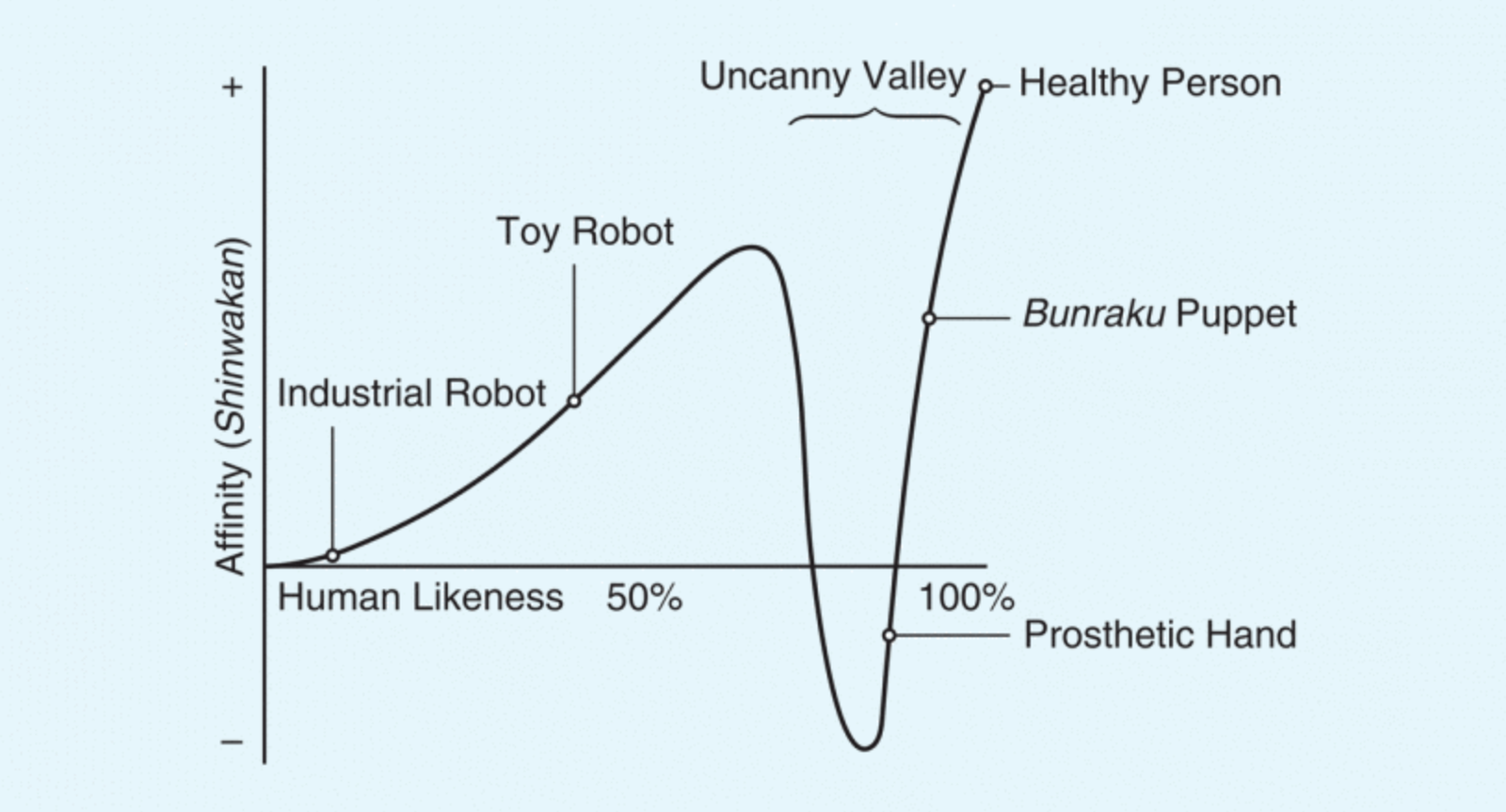
Don’t make AI too human: Give AI human traits only when it serves a clear purpose. Unnecessary humanization can create false expectations. This is known as the uncanny valley effect -when technology behaves too human-like, it often causes discomfort.
Iteration and testing: Users’ expectations evolve over time. Conduct early qualitative research such as interviews or competitive analysis to understand how users think the AI should work before going live.
Multiple output options: Offer alternative results so users can choose what best fits their context. This prevents AI recommendations from feeling too directive or absolute.
Onboarding users to AI features
It’s essential to give users a smooth introduction to new AI features.
Provide context: Introduce AI exactly when it’s relevant.

Example: Spotify presents AI-generated playlists when a user starts creating a new one.
Ensure discoverability: Place AI features where users expect them such as in a recognizable icon or menu.
Assist with a blank canvas: AI can offer a helpful starting point, such as prompts or templates when a screen is empty.
Use prompt wizards: Help users craft effective inputs with step-by-step guidance. This improves both output quality and user satisfaction.
Good onboarding lowers barriers, makes technology understandable, and builds trust.
Conclusion
AI UI design is about balance: transparency, control, predictability, and context. By giving users insight into the AI’s reasoning, handling errors gracefully, introducing features gradually, and building predictable interactions, AI can deliver real value. Human-centered design shouldn’t be an afterthought, it’s the foundation.